TL;DR
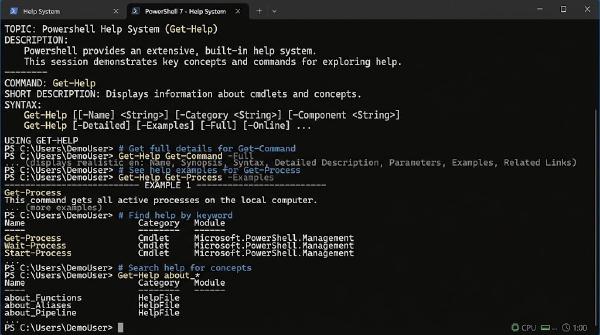
Experts don’t memorize thousands of cmdlets — they use the built-in help system. Always run Update-Help -Force as administrator to download local help documentation. Master the 4-step terminal discovery pattern: Get-Command, help, help -Parameter, help -Examples. Experts don’t memorise thousands of PowerShell commands. Don Jones and Jeff Hicks cite a study in Learn PowerShell in a Month of Lunches — two groups of IT pros, beginners and experts, sat a written test on PowerShell. Scores were similar across both groups. Then they ran the test again with access to a running PowerShell session. The gap between the two groups became significant. The difference? Experts knew how to use the help system to find answers on the fly.
TL;DR
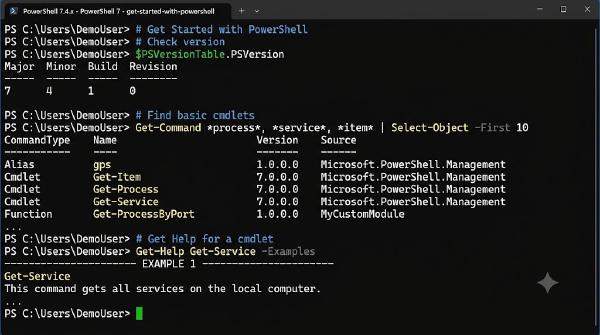
PowerShell is a cross-platform, object-oriented shell & scripting language for Windows, Linux, and macOS. Install PowerShell 7+ Core via Winget alongside Windows Terminal for the optimal command-line experience. Understand the difference between legacy Windows PowerShell 5.1 and modern cross-platform PowerShell 7+. PowerShell is a command-line shell and scripting language from Microsoft for Windows, Linux, and macOS. It helps automate administrative tasks and manage infrastructure cleanly.
Command-line shell: Interactive prompt with tab completion & predictive IntelliSense Scripting language: Write complete, reusable scripts (.ps1) to automate complex workflows Object-oriented: Commands (cmdlets) pass rich .NET objects through the pipeline, not raw text strings Cross-platform: Runs on Windows, Linux, and macOS (PowerShell 7+) Windows PowerShell 5.1 vs. PowerShell 7+ # Feature Windows PowerShell 5.1 PowerShell 7+ (Core) Underlying Engine .NET Framework (Windows only) .NET 8+ (Cross-platform) Supported OS Windows 7 / 10 / 11 / Server Windows, Linux, macOS Performance Standard High performance & parallel pipeline (ForEach-Object -Parallel) Executable Name powershell.exe pwsh.exe Note: Windows PowerShell 5.1 comes built into Windows and will remain for backward compatibility. Modern automation should target PowerShell 7+ (pwsh.exe).