TL;DR
- PowerShell is a cross-platform, object-oriented shell & scripting language for Windows, Linux, and macOS.
- Install PowerShell 7+ Core via Winget alongside Windows Terminal for the optimal command-line experience.
- Understand the difference between legacy Windows PowerShell 5.1 and modern cross-platform PowerShell 7+.
PowerShell is a command-line shell and scripting language from Microsoft for Windows, Linux, and macOS. It helps automate administrative tasks and manage infrastructure cleanly.
- Command-line shell: Interactive prompt with tab completion & predictive IntelliSense
- Scripting language: Write complete, reusable scripts (.ps1) to automate complex workflows
- Object-oriented: Commands (cmdlets) pass rich .NET objects through the pipeline, not raw text strings
- Cross-platform: Runs on Windows, Linux, and macOS (PowerShell 7+)
Windows PowerShell 5.1 vs. PowerShell 7+#
| Feature | Windows PowerShell 5.1 | PowerShell 7+ (Core) |
|---|---|---|
| Underlying Engine | .NET Framework (Windows only) | .NET 8+ (Cross-platform) |
| Supported OS | Windows 7 / 10 / 11 / Server | Windows, Linux, macOS |
| Performance | Standard | High performance & parallel pipeline (ForEach-Object -Parallel) |
| Executable Name | powershell.exe | pwsh.exe |
Note: Windows PowerShell 5.1 comes built into Windows and will remain for backward compatibility. Modern automation should target PowerShell 7+ (pwsh.exe).
Installing PowerShell 7+ & Windows Terminal#
Step 1: Install PowerShell 7 via Winget#
Open Command Prompt or Windows PowerShell and run:
winget install --id Microsoft.PowerShell --source wingetStep 2: Install Windows Terminal#
Windows Terminal provides tabbed sessions, custom HSL color schemes, and GPU-accelerated text rendering:
winget install --id Microsoft.WindowsTerminal --source wingetStep 3: Verify Version#
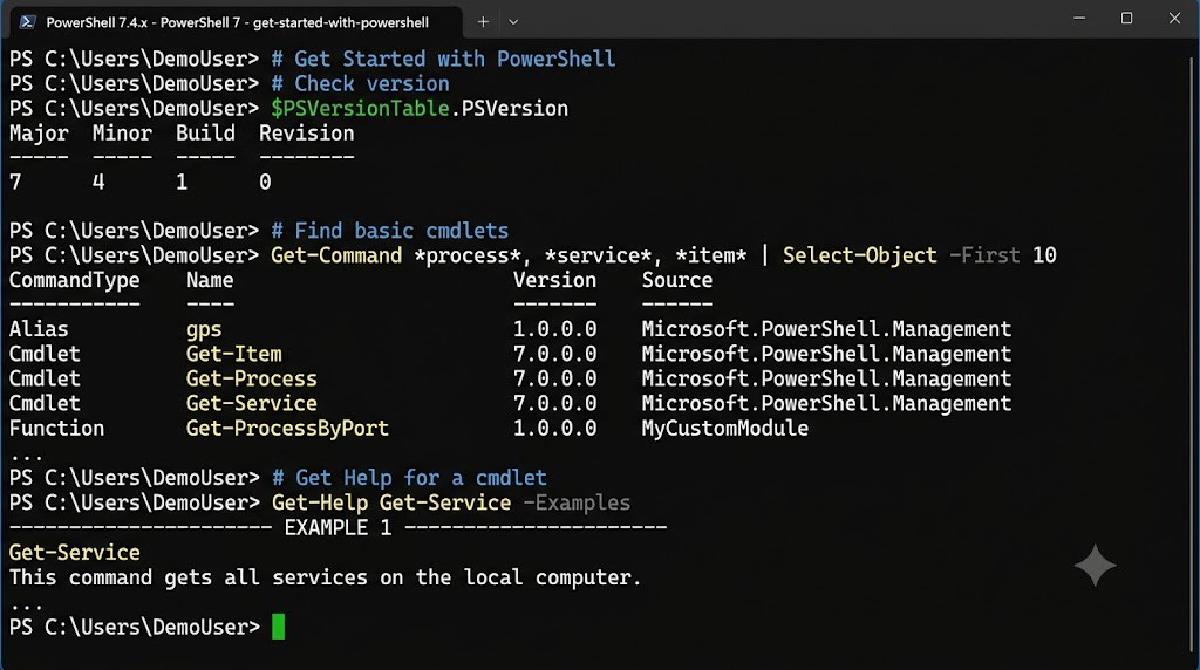
Launch Windows Terminal, open a new PowerShell tab, and check $PSVersionTable:
System.Collections.HashtableExpected output:
Name                           Value
----                           -----
PSVersion                      7.4.x
PSEdition                      Core
OS                             Microsoft Windows 10.0.22631
Wrapping Up#
| Concept / Tool | Purpose | Command / Path |
|---|---|---|
| PowerShell 7+ | Modern cross-platform shell engine | pwsh.exe |
| Winget | Windows Package Manager for automated setup | winget install Microsoft.PowerShell |
| Windows Terminal | Modern host application for command-line tools | winget install Microsoft.WindowsTerminal |
| System.Collections.Hashtable | Automatic variable checking PowerShell edition & version | $PSVersionTable.PSVersion |