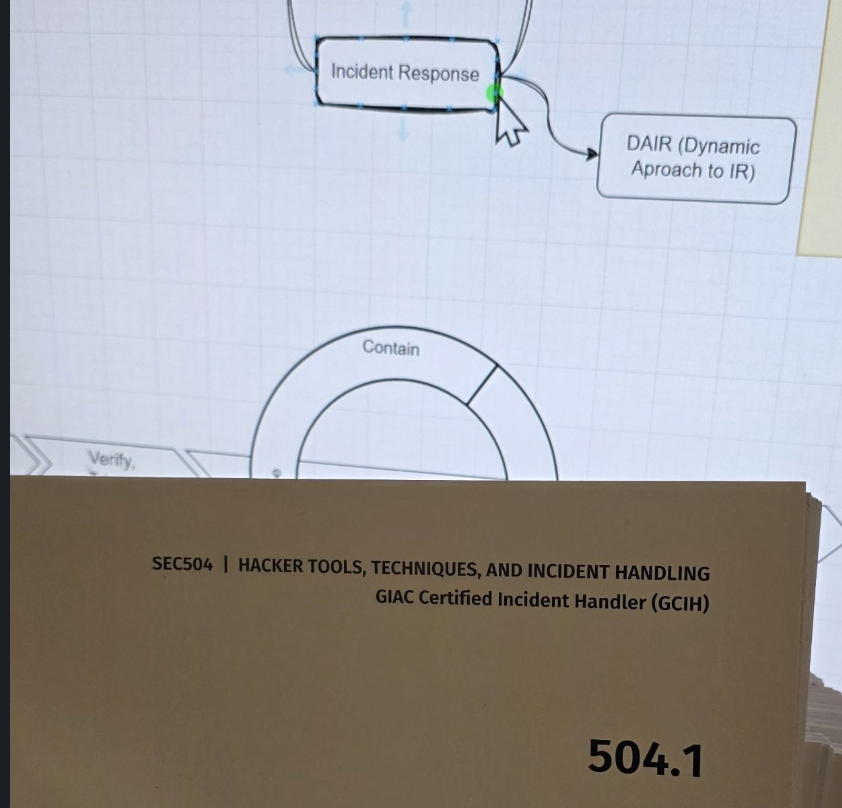
Passing the SANS GCIH (SEC504) exam was one of the most challenging yet rewarding experiences in my cybersecurity journey. As part of my master’s degree program at SANS, I decided to tackle this comprehensive incident handling certification. Here’s my story, including the preparation strategy that worked for me and the unexpected challenges I faced on exam day. As this is my second GIAC exam, I will try to include my flow while preparing for the exam.
Why GCIH?
The GCIH (GIAC Certified Incident Handler) certification is part of SANS’ master’s degree program in cybersecurity. The SANS Technology Institute offers comprehensive graduate programs that combine practical, hands-on training with academic rigor. As part of the SANS Master’s Degree Program, GCIH represents one of the core certifications that demonstrate proficiency in incident handling and response.
The SEC504: Hacker Techniques, Exploits & Incident Handling course is designed to provide students with the skills needed to detect, respond to, and resolve computer security incidents. It’s an open-book exam, which might sound easier, but don’t be fooled – the breadth and depth of material covered makes thorough preparation absolutely essential.
This course covers everything from live system investigation to malware analysis, network forensics, and incident response procedures. The curriculum is structured to prepare professionals for real-world incident response scenarios, making it highly relevant for anyone working in cybersecurity operations, SOC teams, or incident response roles.
Course Materials and Structure
I opted for the on-demand course rather than the live version, which gave me the flexibility to review videos at my own pace. The course package included:
- Video lectures that could be reviewed anytime – perfect for complex topics that needed multiple viewings
- Multiple course books (yes, many of them!) – typically 5 main books plus lab workbooks
- Two practice exams to gauge readiness – these are invaluable for understanding the exam format
- Ranges.io labs – CTF-style hands-on exercises that simulate real-world attack scenarios
- Lightning labs – Quick labs that take less than 10 minutes each, perfect for reinforcing key concepts
- SANS-provided VM – Virtual machine environment for completing all lab exercises
The on-demand format was perfect for my schedule, allowing me to pause, rewind, and truly absorb the material. Unlike live courses where you need to keep up with the pace, on demand lets you spend extra time on challenging topics like memory forensics or network packet analysis.
My Preparation Strategy
- Chapter-by-Chapter Deep Dive: For each chapter, I followed this sequence:
- Watch the video lecture to get an overview
- Read the corresponding book section – every word, every line
- Create detailed index entries (more on this below)
- Complete relevant labs immediately after each chapter in the VM provided by SANS – if applicable
- Repeat same for the next chapter
- Hands-On Practice after completing all the chapters:
- Finished all the Ranges.io CTF-style labs
- Revisited workbook lab exercises
- Practiced commands and tools from the cheat sheets
- Practice Exams and Review
- I took my first practice exam and scored 90%. This was encouraging, but I knew I could do better. I:
- Reviewed all labs again after the first practice test
- Identified weak areas and reinforced them – added few more things to index
- Took the second practice exam and scored 93%
The Indexing System
One of the most valuable strategies I learned was creating a comprehensive index. I adapted the indexing system from Tisiphone’s excellent blog post on GIAC testing to suit my learning style. Tisiphone’s guide emphasizes that while GIAC exams are open book, you don’t have time to read through entire books during the exam. The key is creating a searchable, well-organized index that allows you to find information in seconds, not minutes.
My Index Format that just works for me
I have used this same format with my last exam (GIAC) as well. It contains:
- Keywords, Book number, page references, brief description for fast lookup. Google Sheet with these columns.
- Command examples and syntax – exact command-line syntax for tools like Nmap, Netcat, PowerShell, Metasploit
- Lab step summaries for quick reference – condensed versions of complex lab procedures
- Cross-references to mind maps and cheat sheets – linking related concepts together. I did this for GIAC exam it really helped me to give me overview content quickly. So, I will carry on making mind maps to future open book exam as well. I usually like to create this in Draw.io
Indexing – Examples


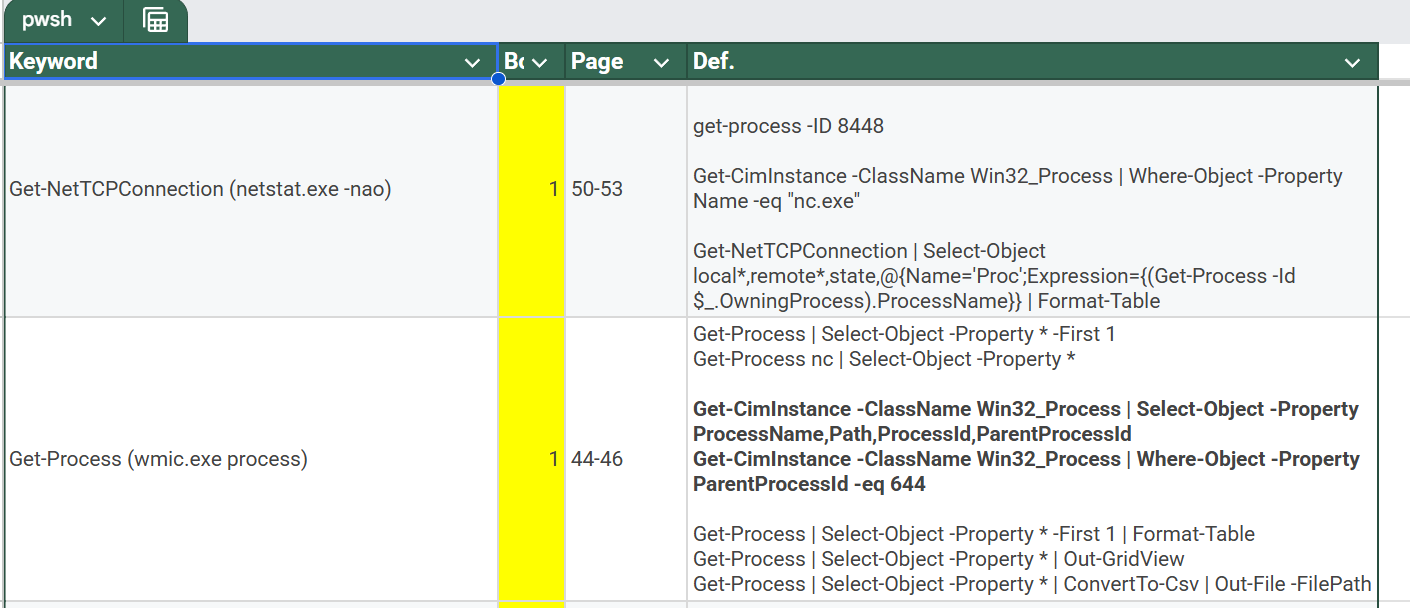
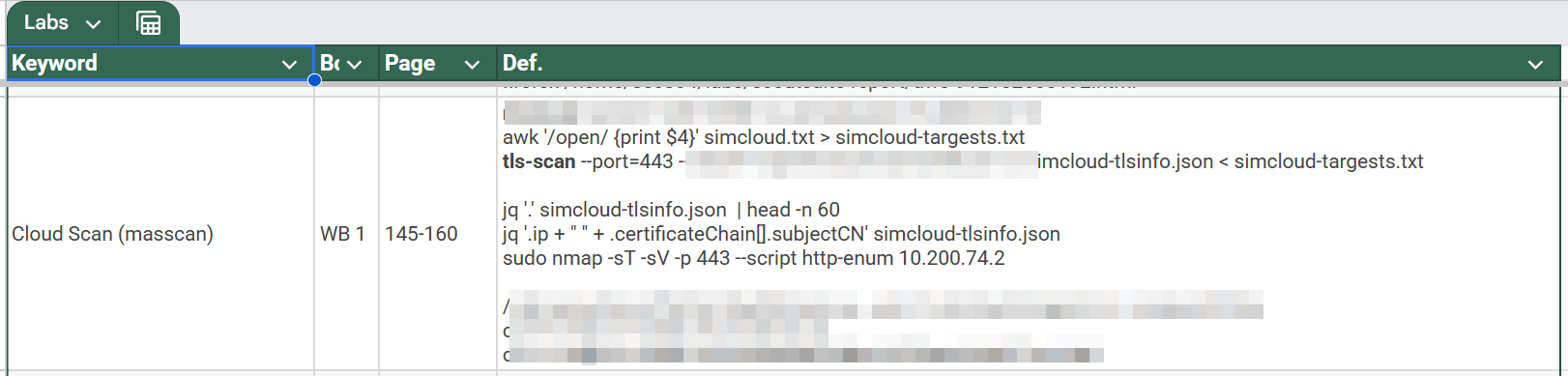
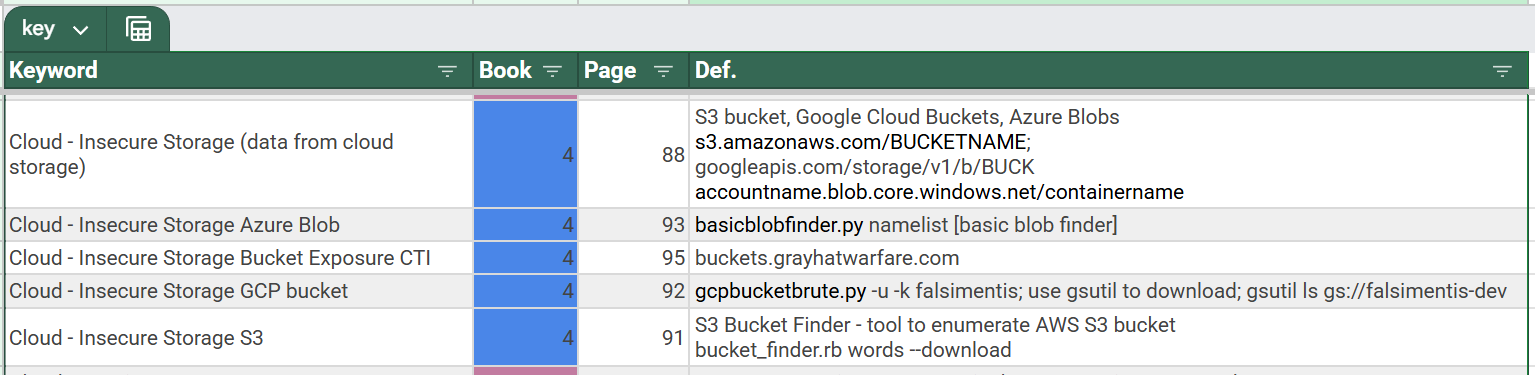
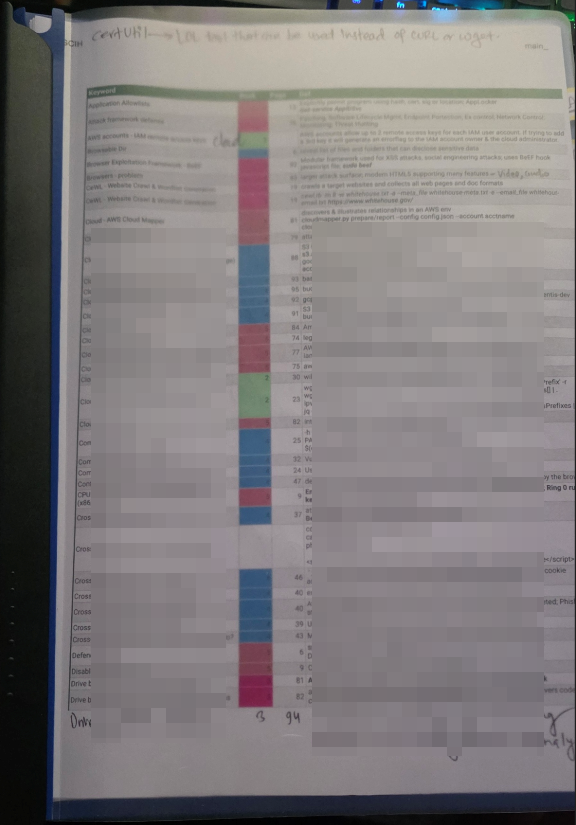
My Indexing Workflow
The main purpose of my index was to minimize the use of course books during the exam. I wanted to use books only if I couldn’t find very clear answer in my index. Here’s how I usually do that refinement:
Phase 1: Digital Index Creation
- I created my index in Google Sheet, sorted alphabetically (A-Z) for easy searching
- For the first practice test, I use the digital index opened in Google sheet on one monitor, with physical books available as needed
- This digital format allowed me to quickly test what I could find and what was missing
Phase 2: Index Refinement
- After the first practice test, I identified gaps – things I needed to look up but couldn’t find in my index
- I added these missing items to the index, expanding coverage based on actual exam needs
- This iterative process ensured my index addressed real-world exam scenarios
Phase 3: Physical Index Preparation
- Before my second practice test, I printed the refined index
- I printed it one-sided only, leaving the back of each page blank
- This blank space was crucial – during the second practice test, I could write additional notes directly on the blank side if I discovered something was still missing
Phase 4: Final Refinement
- Even after the second practice test, I found plenty of things to add
- The blank sides of my printed index became invaluable for handwritten additions
- By exam day, my index was comprehensive and battle-tested
Indexing Best Practices (at least works best for me)
- Start early: Don’t wait until the end. Index as you study each chapter.
- Be consistent: Use the same format throughout for easy scanning.
- Include context: Don’t just list commands – include when and why to use them.
- Test your index: During practice exams, use your index and refine it based on what you actually needed to look up.
- Print strategically: Print one-sided to leave room for handwritten additions during practice tests.
- Minimize book usage: For me, the goal is to find answers in your index, not in the books. Books should be a last resort.
Exam Day Experience
I had taken a GIAC exam through ProctorU before without issues, so I felt confident about the technical setup. However, exam day had other plans. I started my check-in process at 9:35 AM. During the initial system check, ProctorU detected multiple monitors – a false positive that wouldn’t go away. The pop-up warning persisted despite:
- Multiple session restarts (3-4 times)
- Removing ShareX
- Removing PowerToys
- Restarting my entire PC
- Nothing worked
After 45 minutes of troubleshooting with ProctorU support, they gave me two options: reschedule or use another computer.
The Backup Plan Saves the Day
Thankfully, I had prepared a backup laptop (always have a Plan B!). It took another 30 minutes to set it up and join the exam session. While it wasn’t as fast as my primary PC, it worked. I was stressed and anxious, but I was determined to push through. At this point I was already low on energy.
Despite the stressful start, I passed with a 90% score. I knew I had made a few mistakes (some knowingly, as I was running with so limited energy), but the preparation paid off. The comprehensive index and hands-on practice allowed me to navigate the exam efficiently even under pressure.
Key Takeaways
- Preparation is everything: The open-book format doesn’t mean you can skip studying. Create a detailed, well-organized index. The exam tests your ability to apply knowledge, not just look it up. You need to understand concepts deeply enough to know what to search for.
- Hands-on practice matters: Don’t just read – do the labs. The practical experience is invaluable. Many exam questions are scenario-based, asking you to identify the correct tool or command for a specific situation. Hands-on practice builds the muscle memory and intuition needed for these questions.
- Always have a backup plan: Technical issues can happen. Have a backup computer ready, or be prepared to reschedule if needed. ProctorU can be finicky with certain software or hardware configurations. Test your setup well in advance, and have a Plan B.
- Practice exams are your friend: They help identify weak areas and build confidence. Use them strategically – don’t just take them once. Review every question, even the ones you got right, to understand the reasoning. Use practice exams to refine your index.
- Stay calm under pressure (although I was panicking here): When things go wrong, take a deep breath and adapt. Your preparation will carry you through. The stress of technical issues can affect your performance, but solid preparation means you can still succeed even when things don’t go perfectly.
- Understand the SANS methodology: The course teaches specific methodologies and frameworks. Pay attention to these – they’re often tested.
- Time management is crucial: Even with an open-book exam, time is limited. Practice using your index quickly. Know which topics you’re strong in (so you can answer quickly) and which ones you’ll need to reference (so you know where to look).
- Iterate and refine: Your first index won’t be perfect. Use practice exams to identify gaps and continuously improve. The blank space on one-sided printed pages is invaluable for last-minute additions.
Final Thoughts
The GCIH certification journey taught me not just about incident handling, but about resilience, preparation, and the importance of having systems in place – both for studying and for handling unexpected challenges. The course content is comprehensive, covering everything from basic incident response procedures to advanced memory forensics and malware analysis.
As part of the SANS master’s degree program, GCIH represents a significant milestone. The knowledge gained isn’t just for passing an exam – it’s practical, immediately applicable skills that enhance your ability to respond to real-world security incidents.
If you’re preparing for GCIH or any GIAC exam, remember: thorough preparation, hands-on practice, and a well-organized index are your best friends. The open-book format is a tool, not a crutch. Use it wisely, and always have a backup plan!
The indexing system I developed – starting digital, testing with practice exams, refining continuously, and printing strategically with blank space for additions – was the key to my success. It allowed me to minimize book usage during the exam and find answers quickly, even under the stress of technical difficulties.
Good luck on your certification journey!
This blog post is based on my personal experience preparing for and passing the SANS GCIH (SEC504) certification exam. Your experience may vary, but I hope these insights help you on your own certification journey.
Leave a Reply